
Teams in Drillplanner: Plan Together, Show Up Ready
Coaching is a team sport — even off the pitch. Teams in Drillplanner lets head coaches and assistants plan together, reuse proven sessions, and keep everyone aligned. Plan a month of training in one sitting, then on training day open your phone and everything you need is right there.
What Teams Does for You
Teams is the layer for sharing and scheduling the sessions and drills you already have. With it, your coaching group can:
- Share drills and sessions with the whole staff in one click.
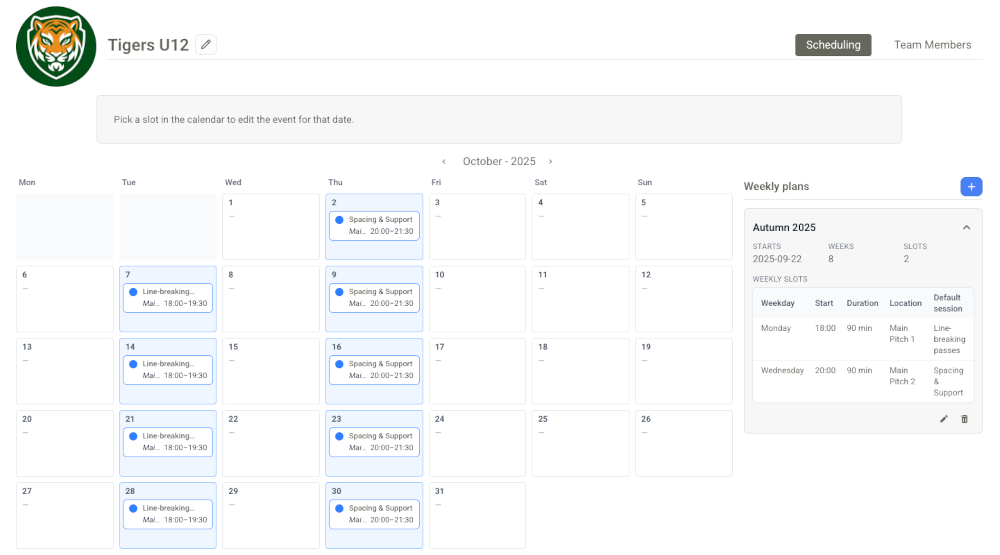
- Build Weekly Plans with recurring slots (day, time, location) and assign default sessions.
- Handle real-life changes using per-date overrides without breaking the base plan.
- Stay aligned with roles and permissions that keep ownership clear.
Roles That Keep Things Simple
Not everyone needs the same control. Teams supports four roles — viewer, editor, admin, owner — so you can invite assistants, club directors, or guest coaches with the right access. Ownership always wins, and stronger permissions never get downgraded by accident. You stay in control while still collaborating smoothly.
Start Here: Create Drills & Sessions
Teams is powered by your content. Without drills and sessions, there’s nothing to share or schedule. Before you set up Weekly Plans or invite coaches, do this:
- Create (or import) a small library of drills you use often.
- Build 3–10 reusable sessions that use those drills and match your season focus.
You can still refine and add more later, but having these ready makes scheduling fast and collaboration clear.
Plan Weeks in Minutes
Create a Weekly Plan for your team:
- Add your training slots (e.g., Tue 18:00–19:30, Main Pitch).
- Pick a default session for each slot — something reusable and adaptable.
- Drillplanner materializes upcoming dates for you, so the plan shows up on everyone’s dashboard.
You can repeat a strong session across several weeks, then tweak details as the team progresses. Less admin, more coaching.
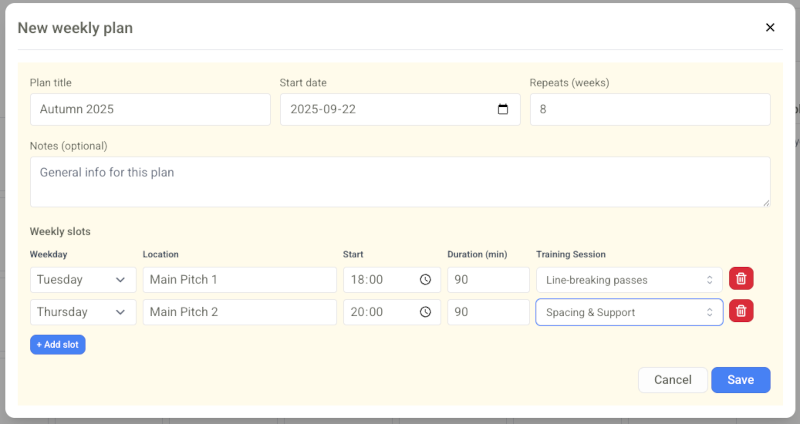
Why it works: Reusing sessions gives players clarity and consistency. You coach deeper, not longer. Assistants can step in anytime because the plan is shared and stable.
Training Day: Everything on Your Phone
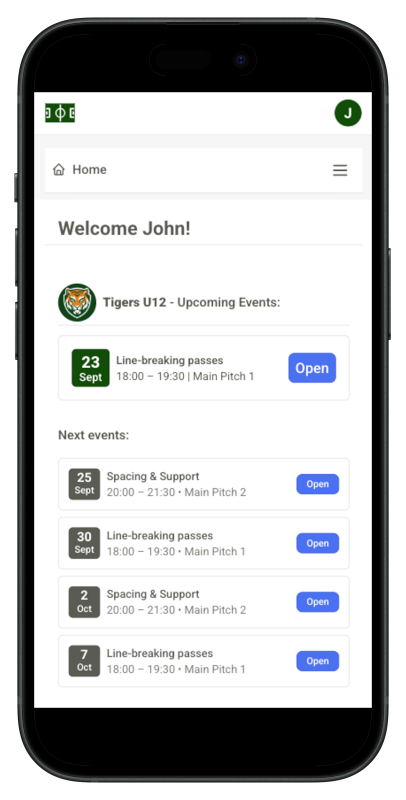
When you’re part of a team in Drillplanner, the Home dashboard highlights what’s next. You’ll see Upcoming Events as neat cards — date, time, field, and session title — with a clear Open button.
Open a card to view the full session, drill-by-drill, with your coaching notes. No hunting for PDFs, no last-minute panic. It’s the quickest way to go from arrival to action.
Real Life Happens: Use Overrides
Need to change tonight’s plan or cancel because of weather? Make a per-date override:
- Swap the session just for this date.
- Edit details like location or time if needed.
- Cancel the occurrence without touching the base Weekly Plan.
Your underlying plan stays intact. Future dates remain exactly as you set them.
Clean Sharing & Safe Unsharing
Share a session or drill with the team to make it available for everyone. If you later revoke a team share, Drillplanner cleans up safely: default sessions are cleared from relevant slots and the team’s future occurrences adjust accordingly. Nothing gets lost for other teams or private shares.
Quick Start
- Create your core drills.
- Build 3–10 reusable sessions using those drills.
- Create a Team — you’ll be the owner.
- Invite coaches and choose their roles.
- Share sessions and drills with the team.
- Build a Weekly Plan and assign default sessions.
- On the day, open Home → Upcoming Events, tap Open, and coach.
The Payoff
- A shared plan everyone understands.
- Fewer last-minute decisions, more on-field coaching.
- Assistants who can lead sessions with confidence.
- Players who progress faster through clarity and repetition.
Plan together. Show up ready. Teams in Drillplanner makes it easy.